Time tracking that actually likes your budget.
Most tools track time and hope it fits your budget. OnTime starts with the budget — so you always know where you stand, right where your team already works, with no extra app to check.
We'll only email you when there's something worth saying. By joining you agree we can email you about OnTime — see our privacy page.
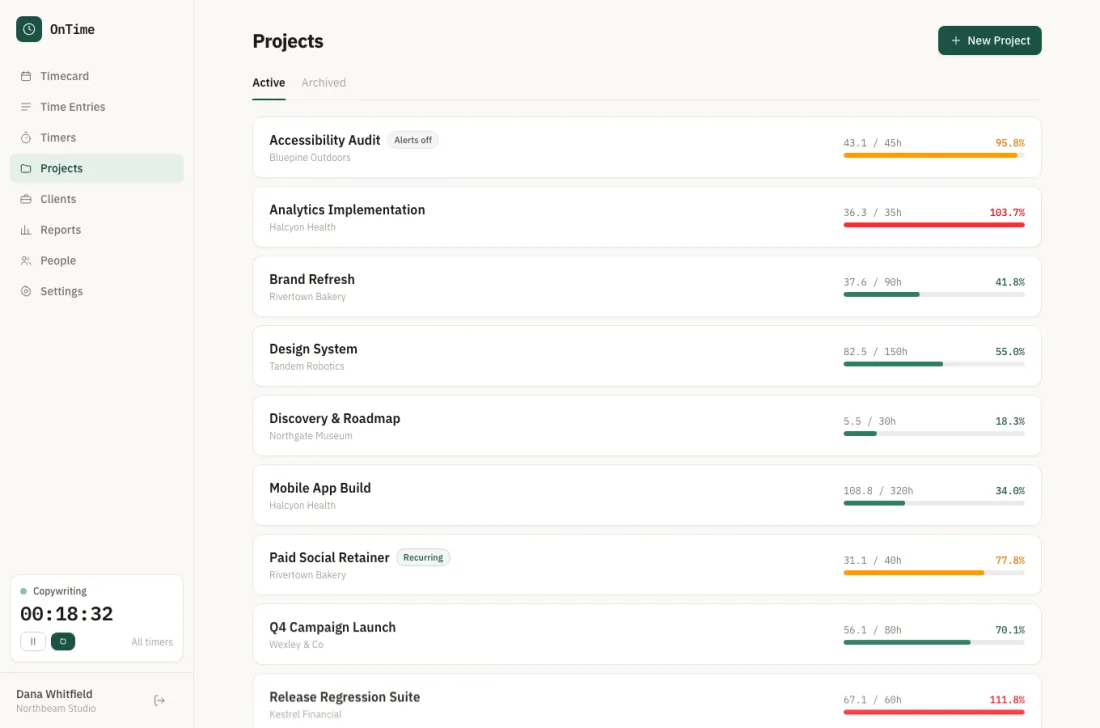
Every client, every budget, one screen — with anything running hot already in red.
You find out you're over budget when it's already too late.
You set the projects up, everyone logs their hours, and then at the end of the month you pull a report to see how it went. That's usually when you learn the retainer got eaten in week two.
It's not that your team tracked time badly. It's that the budget was never the thing being watched.
Put the budget first and the rest gets easier.
Start with a budget
Give a client or project a budget in hours or dollars. That's the number OnTime watches for you — not something you dig out of a report later.
Lives where you are
Live in Slack and Zoom? Got you covered. Prefer Google Chat and Trello? Covered there too. Your team logs time where they already are. No new tab, no new habit.
Know your pace, not just your total
You'll see how fast the budget is burning against how much work is left — early enough to have the conversation before it becomes an awkward invoice.
Budgets go all the way down.
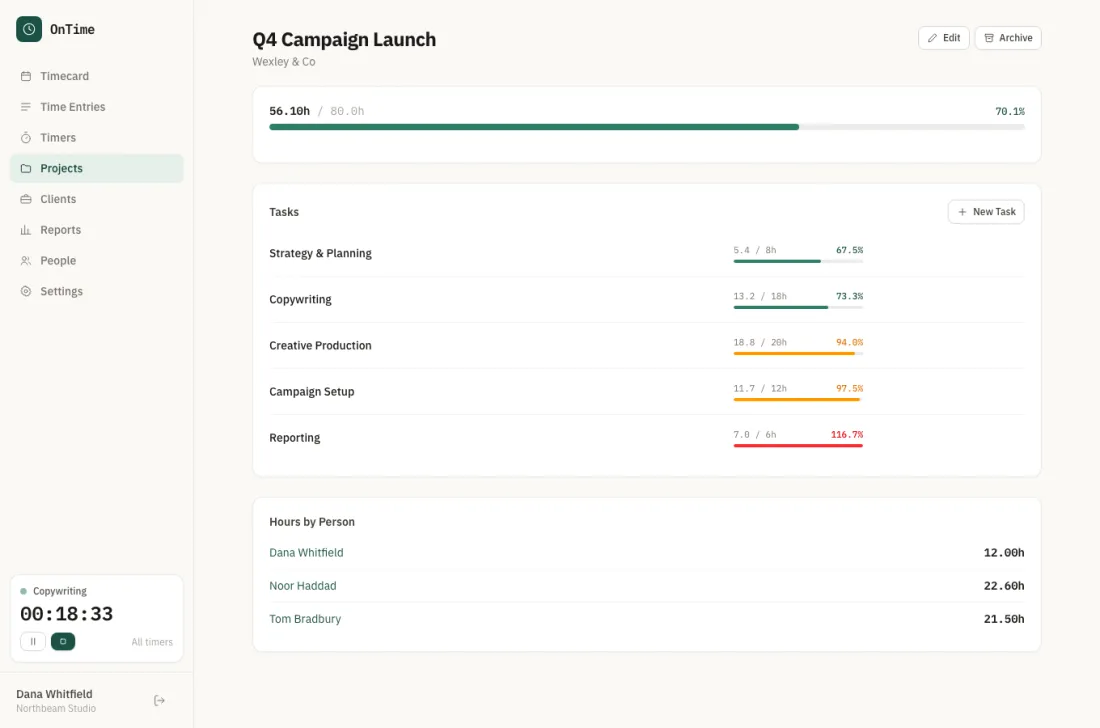
Open a project and every task carries its own budget and its own pace. When one task is quietly eating the retainer, you can see which one it is.
Closed tasks stay on the record, so the next estimate is based on what the work actually took.
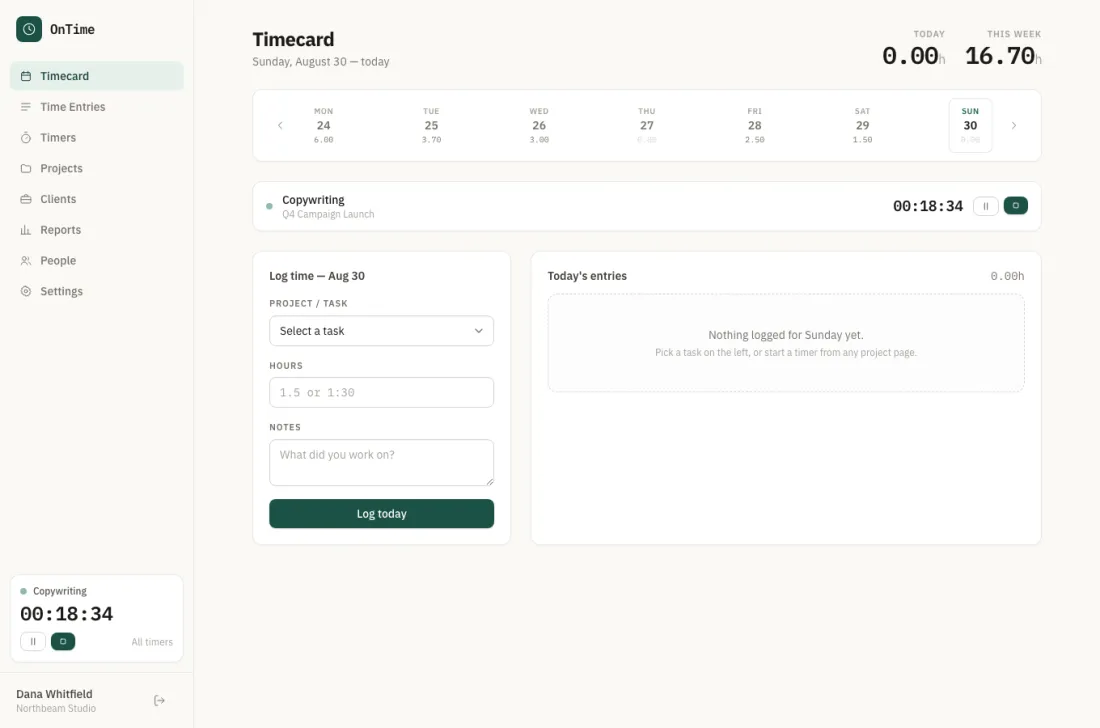
Two clicks, and you're back to work.
Start a timer, or log hours against a task after the fact. The week sits along the top so gaps are obvious before anyone chases you for a timesheet.
Timers keep running across devices, so closing a laptop doesn't lose an afternoon.
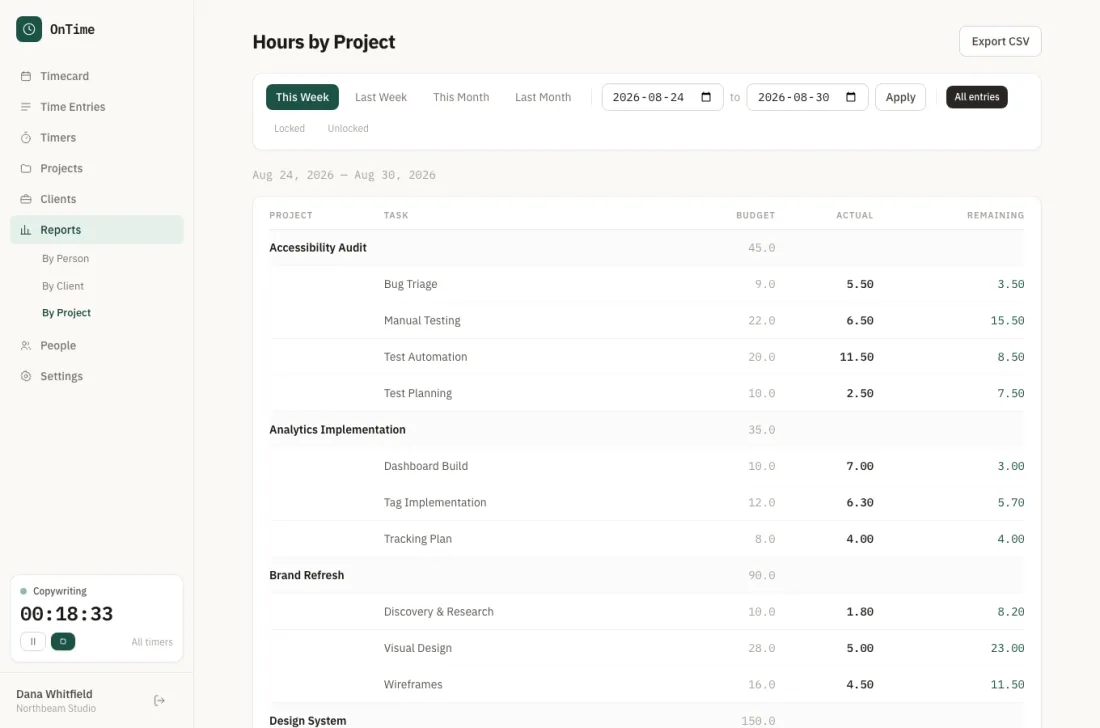
The report answers the money question.
Budget, actual and remaining, by project and by task, for any date range you pick. It's the view you want open when a client asks where the retainer went.
Export it to CSV when someone needs it in a spreadsheet.
Made for people who bill for their time.
Consultancies & agencies
A handful of clients, a budget on each, and margin that lives or dies on how the hours land.
Freelancers & contractors
It's just you and a few retainers, and every minute spent on admin is a minute you can't bill.
Small teams doing client work
Your hours turn into an invoice somebody reads carefully. Best if there are no surprises on it.
Things people usually ask us.
Do we have to change how the team works?
Not really. If they can send a message in the chat tool you already use, they can log time. We're trying to take steps away, not hand you a new process to enforce.
We already use Toggl, Harvest, or Clockify.
They're good at what they do. But they tell you about the budget after the fact. OnTime keeps it in front of you the whole way through, which matters most in the middle of a project — while you can still change something.
We don't use Slack. Does that rule us out?
Not at all. Slack, Zoom, Google Chat, Trello — OnTime meets your team in whatever they already have open. That's rather the point: no new tab, no new habit.
What does joining the beta actually mean?
You get an account, you pay nothing during the beta, and you keep the beta rate afterwards. In return we'll ask you what's annoying, and we'll fix it.
Is our data going anywhere?
No. Your hours and budgets are yours, exportable to CSV whenever you want, and we don't sell or share them.
Always know where the budget stands.
Join the beta and we'll be in touch when there's a seat free.
No card needed. Unsubscribe any time. See our privacy page.